


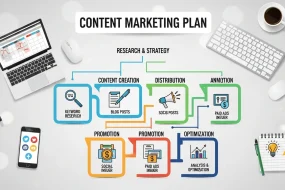
This beginner-friendly guide explores essential content marketing tools for creation, social media, analytics, planning, and research, helping users streamline workflows, boost engagement, support digital and telehealth marketing strategies, and build an effective, scalable content marketing.
Content Creation Tools
Canva: Design Made Simple
Canva revolutionized graphic design for non-designers. This drag-and-drop platform offers thousands of templates for social media posts, blog headers, infographics, and more.
Key features for beginners:
- Pre-sized templates for every major platform
- Stock photo library with millions of images
- Brand kit functionality to maintain consistent colors and fonts
- Collaboration features for team projects
Pricing: Free version available with premium plans starting at $12.99/month
Best for: Creating visual content for social media, blog posts, and marketing materials
Grammarly: Your Writing Assistant

Even experienced writers make mistakes. Grammarly catches grammar errors, suggests style improvements, and helps you write with more clarity and confidence.
Key features for beginners:
- Real-time grammar and spell checking
- Tone detection to match your intended voice
- Plagiarism checker (premium)
- Integration with most writing platforms
Pricing: Free version available with premium plans starting at $12/month
Best for: Improving writing quality across all content types
Know about Content Marketing Tools
Loom: Quick Video Content
Video content drives engagement, but creating professional videos can be intimidating. Loom makes it easy to record screen shares, tutorials, and personal messages.
Key features for beginners:
- One-click recording for screen and webcam
- Automatic transcription
- Easy sharing via links
- Basic editing tools
Pricing: Free version available with premium plans starting at $8/month
Best for: Creating tutorial videos, product demos, and personal video messages
Social Media Management Tools
Buffer: Streamlined Scheduling
Managing multiple social media accounts becomes much easier with a scheduling tool. Buffer offers a clean interface that beginners can master quickly.
Key features for beginners:
- Simple post scheduling across platforms
- Basic analytics and performance tracking
- Team collaboration features
- Browser extension for easy content sharing
Pricing: Free version available with premium plans starting at $6/month
Best for: Small businesses and individuals managing 3-5 social media accounts
Hootsuite: All-in-One Platform
Hootsuite provides more comprehensive social media management features, making it ideal for beginners who want room to grow.
Key features for beginners:
- Dashboard view of all social media accounts
- Content calendar for planning posts
- Social listening capabilities
- Detailed analytics and reporting
Pricing: Free version available with premium plans starting at $99/month
Best for: Businesses planning to scale their social media presence
Content Planning and Organization

Trello: Visual Project Management
Content marketing requires organization. Trello’s card-based system makes it easy to track content ideas, assignments, and publishing schedules.
Key features for beginners:
- Intuitive drag-and-drop interface
- Customizable workflow boards
- Team collaboration features
- Integration with other marketing tools
Pricing: Free version available with premium plans starting at $5/month
Best for: Planning content calendars and managing team workflows
Google Drive: Collaborative Workspace
Google Drive provides free cloud storage and collaboration tools that work seamlessly for content teams.
Key features for beginners:
- Real-time document collaboration
- Automatic saving and version control
- Integration with other Google tools
- Generous free storage allocation
Pricing: Free version with 15GB storage, premium plans starting at $6/month
Best for: Document collaboration and file storage
Analytics and Performance Tracking
Google Analytics: Website Insights
Understanding your audience is crucial for content marketing success. Google Analytics provides detailed insights about your website visitors and content performance.
Key features for beginners:
- Traffic sources and user behavior data
- Content performance metrics
- Audience demographics and interests
- Goal tracking and conversion data
Pricing: Free
Best for: Tracking website performance and user behavior
Mailchimp: Email Marketing Made Easy
Email marketing remains one of the highest-ROI marketing channels. Mailchimp offers user-friendly tools for building and managing email campaigns.
Key features for beginners:
- Drag-and-drop email builder
- Automated email sequences
- A/B testing capabilities
- Detailed campaign analytics
Pricing: Free version available with premium plans starting at $10/month
Best for: Building email lists and nurturing leads
Content Research and Ideation

Answer The Public: Question-Based Research
Creating content that answers your audience’s questions is a proven strategy. Answer The Public visualizes search queries to help you identify content opportunities.
Key features for beginners:
- Visual representation of search queries
- Question-based content ideas
- Export functionality for easy planning
- Regional search data
Pricing: Free version available with premium plans starting at $99/month
Best for: Finding content topics that match search intent
BuzzSumo: Content Discovery
BuzzSumo helps you identify trending topics and high-performing content in your industry.
Key features for beginners:
- Top-performing content analysis
- Social media trend tracking
- Influencer identification
- Content gap analysis
Pricing: Free version available with premium plans starting at $99/month
Best for: Competitive research and trend identification
How Content Marketing Tools Support Digital Marketing Strategy
A well-structured digital marketing strategy depends heavily on the effective use of content marketing tools. These tools simplify planning, creation, distribution, and performance tracking, enabling marketers to execute campaigns efficiently and consistently. Instead of manual workflows, automation and analytics-driven insights help businesses focus on creativity and strategic decisions.
Using the right tools allows brands to deliver better digital marketing tips, reach the right audience at the right time, and maintain consistency across multiple platforms. From SEO optimization and email marketing to social media management and analytics, content marketing tools act as the backbone of modern digital campaigns.
Key Benefits of Content Marketing Tools for Digital Strategy:
- Improve campaign planning and execution
- Enhance productivity and workflow efficiency
- Increase audience engagement and conversions
- Enable data-driven decision making
- Support scalable marketing operations
Role of Content Marketing Tools in Digital Strategy
| Marketing Area | Tools Used | Business Impact |
|---|---|---|
| SEO Optimization | Ahrefs, SEMrush | Improved rankings & traffic |
| Content Creation | Canva, Grammarly | High-quality engaging content |
| Social Media Marketing | Buffer, Hootsuite | Consistent brand visibility |
| Email Marketing | Mailchimp | Lead nurturing & retention |
| Analytics & Tracking | Google Analytics | Data-driven improvements |
Using the right content marketing tools ensures that your digital marketing strategy remains agile, efficient, and results-oriented.
How Content Marketing Tools Power Telehealth Marketing Growth
In modern healthcare, telehealth marketing has become essential for connecting providers with patients in a digital-first environment. Content marketing tools play a critical role in helping healthcare brands educate, engage, and convert patients while maintaining trust and credibility.
By leveraging tools for blog creation, email automation, video production, and analytics, healthcare organizations can effectively promote telehealth services and improve patient awareness. Platforms designed for healthcare marketing ensure regulatory compliance while enabling personalized patient communication.
Benefits of Content Marketing Tools in Telehealth Marketing:
- Educate patients with trusted health content
- Increase appointment bookings through engagement
- Build long-term patient trust
- Enhance brand authority in healthcare
- Improve ROI through analytics-driven campaigns
Telehealth Marketing Platforms & Their Role
| Platform Type | Purpose | Business Benefit |
|---|---|---|
| Content Management Systems | Blog & page creation | Patient education |
| Email Marketing Tools | Appointment reminders | Increased engagement |
| Video Marketing Platforms | Virtual consultations & demos | Trust & clarity |
| Social Media Tools | Health awareness campaigns | Audience reach |
| Analytics Platforms | Performance tracking | Campaign optimization |
Using advanced telehealth marketing platforms alongside content marketing tools helps healthcare providers deliver impactful campaigns and grow patient engagement effectively.
Getting Started: Your First 30 Days
Week 1: Set Up Your Foundation
- Create accounts for Canva, Grammarly, and Google Analytics
- Set up a basic content calendar using Trello or Google Drive
- Install browser extensions for your chosen tools
Week 2: Create Your First Content
- Design 5 social media posts using Canva templates
- Write and edit a blog post with Grammarly
- Schedule your first week of social media content using Buffer
Week 3: Establish Your Workflow
- Create templates for recurring content types
- Set up automated email sequences in Mailchimp
- Begin tracking website analytics daily
Week 4: Optimize and Scale
- Analyze your first month’s performance data
- Identify your best-performing content types
- Plan your content strategy for the following month
Budget-Friendly Tool Combinations
The Starter Pack (Free):
- Canva (free version)
- Grammarly (free version)
- Google Analytics
- Trello (free version)
Total monthly cost: $0
The Growth Pack ($25/month):
- Canva Pro ($12.99/month)
- Grammarly Premium ($12/month)
- Google Analytics (free)
- Buffer Pro ($6/month)
- Mailchimp (free up to 2,000 contacts)
Total monthly cost: $30.99
Common Mistakes to Avoid
Tool Overload: Don’t try to use every tool at once. Start with 2-3 essential tools and master them before adding more.
Ignoring Analytics: Many beginners focus solely on content creation and forget to track performance. Set up analytics from day one.
Inconsistent Branding: Use tools like Canva’s brand kit to maintain consistent colors, fonts, and messaging across all platforms.
Forgetting Mobile Users: Most content consumption happens on mobile devices. Always preview your content on mobile before publishing.
Building Your Content Marketing Stack

The tools you choose should grow with your business. Start with free versions to test functionality, then upgrade as your needs become more sophisticated.
Consider these factors when selecting tools:
- Integration capabilities: Choose tools that content marketing work well together
- Learning curve: Prioritize user-friendly interfaces when starting out
- Scalability: Select tools that can grow with your business
- Support quality: Look for tools with good customer support and learning resources
Remember, the best content marketing tool is the one you’ll actually use consistently. Start simple, focus on creating valuable content, and let your results guide your tool selection as you grow.
Your content marketing journey doesn’t have to be complicated. With these beginner-friendly tools, you can create professional content, engage your audience, and track your success without overwhelming yourself or your budget
Frequently Asked Questions (FAQ)
1. What are content marketing tools?
Content marketing tools are software platforms that help businesses create, manage, distribute, and analyze content to achieve marketing goals efficiently.
2. Why are content marketing tools important for beginners?
They simplify complex marketing tasks, automate workflows, and provide insights that help beginners create professional-quality content with minimal effort.
3. Which free content marketing tools should beginners start with?
Beginners can start with Canva, Grammarly, Google Analytics, Trello, and Mailchimp’s free plans for an effective starter toolkit.
4. How do content marketing tools improve digital marketing strategy?
They support planning, automation, audience targeting, analytics tracking, and optimization, leading to better campaign performance.
5. Can content marketing tools help promote telehealth services?
Yes, they help create educational content, schedule social campaigns, manage email outreach, and track patient engagement to promote telehealth services effectively.
6. What are the best telehealth marketing platforms?
Popular telehealth marketing platforms include HubSpot, Mailchimp, Hootsuite, Canva, and healthcare-focused CMS platforms.
7. How long does it take to see results using content marketing tools?
Most businesses begin seeing measurable improvements within 30–90 days, depending on consistency and strategy.
8. Are paid content marketing tools worth it?
Yes, premium tools offer automation, deeper analytics, and advanced features that significantly improve productivity and ROI.
9. What mistakes should beginners avoid when using content marketing tools?
Avoid tool overload, skipping analytics, inconsistent branding, poor planning, and ignoring mobile optimization.
10. How do I choose the right content marketing tools?
Select tools based on ease of use, scalability, integration capabilities, pricing, and customer support.

Content Marketing Stack
Content Marketing Tools
Digital Marketing Strategy
Marketing Tools for Beginners
Social Media Marketing

I’m a digital marketing expert passionate about transforming how telehealth brands connect with patients online. At Telehealth Marketing Tips, I write about the intersection of healthcare and digital strategy — from SEO and social media to patient engagement and brand growth. My goal is to help telehealth professionals thrive in the digital age with smart, data-driven marketing insights.















No Comments